
How to Track and Find Sales as a Local Retail Business in Kenya
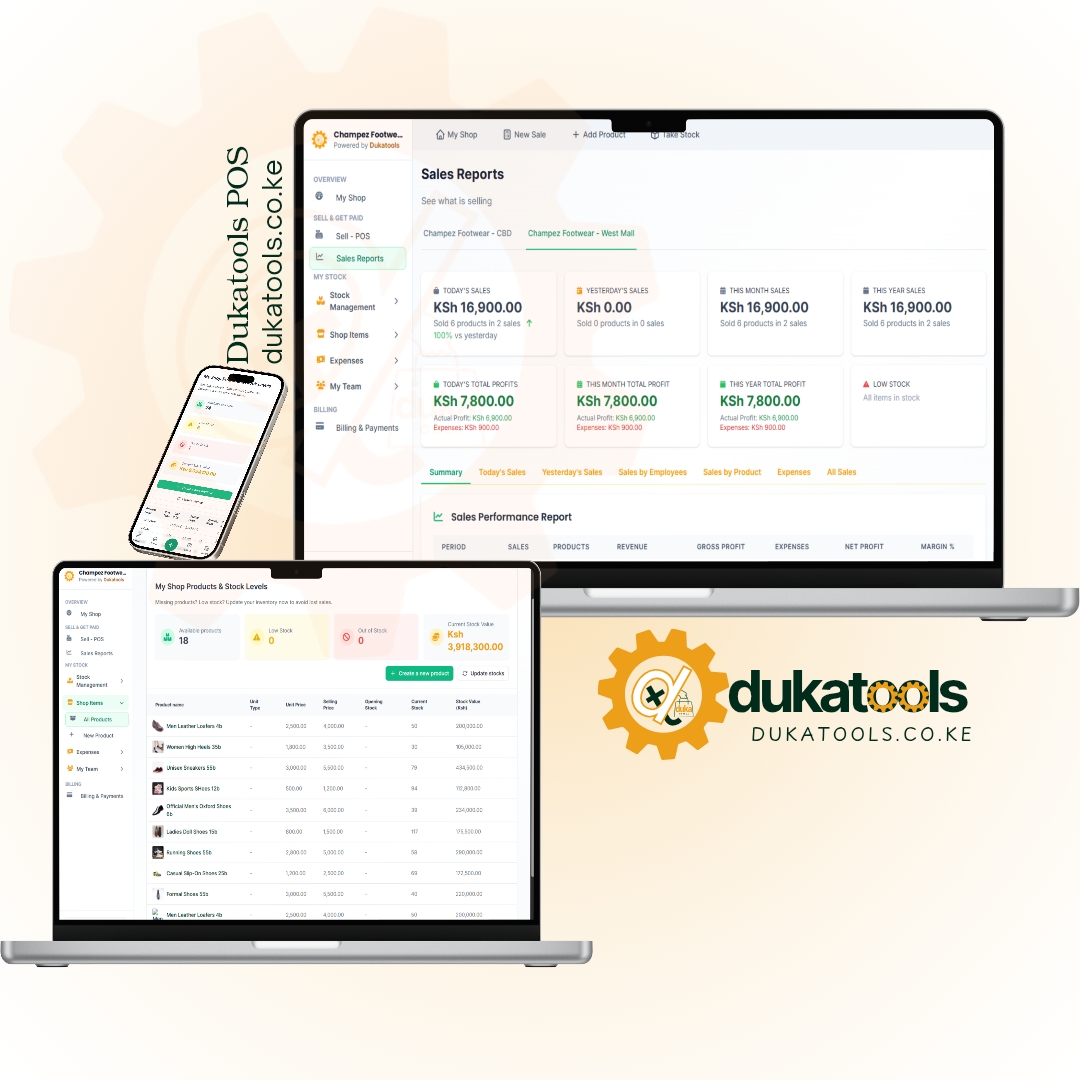
How Kenyan retail business owners track sales, generate daily profit reports, monitor M-Pesa & cash, spot best-sellers, and prevent losses with Dukatools Apps.
How to Track and Find Sales as a Local Retail Business in Kenya Using Dukatools
Running a local retail shop or business in Kenya is rewarding but demanding. Between cash, M-Pesa payments, restocking, and managing staff, it's easy to lose track of what’s actually selling and how much profit you’re making.
Many owners still rely on notebooks at the end of the day, only to wonder why money doesn’t add up.
Dukatools changes that. This simple, business management tool is built for local Kenyan shops and business owners. It lets you record sales in seconds, track stock automatically, and get clear daily reports, so you always know what’s happening in your business, even when you’re not at the shop.
Why Sales Tracking is Important for Kenyan Retail Businesses
Manual records lead to errors, forgotten entries, stock-outs, and hidden losses from theft or mismanagement.
In today’s business environment, you need real-time visibility to:
- Know your true profit (sales minus cost of goods and expenses).
- Identify best-sellers and slow movers.
- Reconcile M-Pesa easily.
- Make smart restocking and pricing decisions.
- Monitor staff performance remotely.
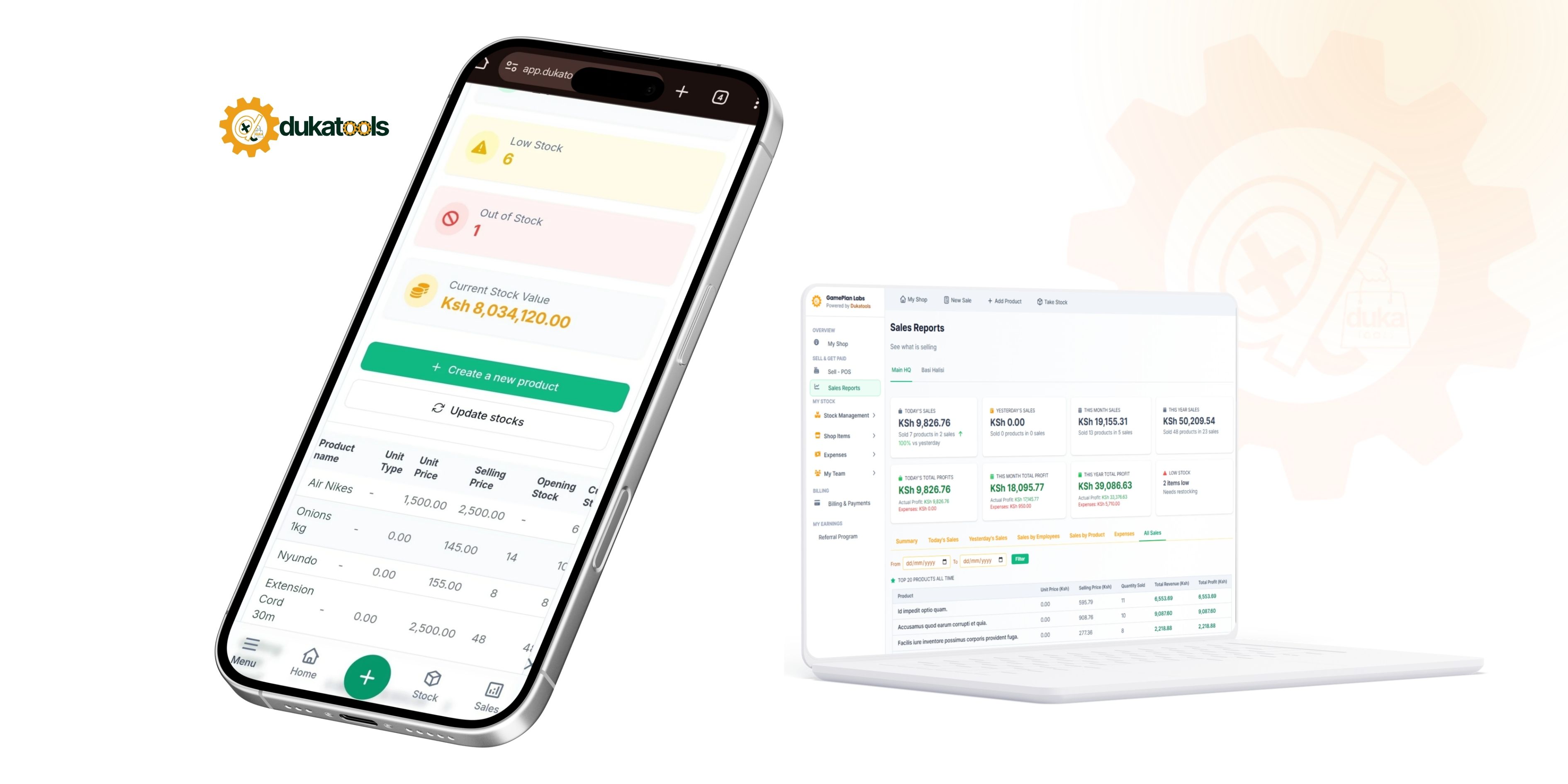
Dukatools turns your phone into a complete POS and reporting system. No expensive hardware needed just your smartphone or a laptop or pc.
Getting Started | How to Set Up Dukatools in Under 2 Minutes
- Visit dukatools.co.ke and sign up (free to start).
- Add your products (with prices and stock levels).
- Invite staff with limited logins if needed.
- Start recording sales immediately.
Step-by-Step: How to Record Sales with the POS
Accurate tracking starts with easy data entry:
- Open the app on your phone or computer.
- Go to Record Sale / POS.
- Search for the product or scan the barcode.
- Add quantity, select payment method (Cash, M-Pesa, Credit).
- Complete the sale—stock updates automatically, and a receipt can be downloaded and sent via WhatsApp/SMS.
Sales take about 10 seconds. Every transaction feeds directly into your reports. No more double-entry or end-of-day calculations.
How to Find Sales and Understand Your Reports
This is where Dukatools shines. Go to the Reports section for instant insights:
Daily Reports:
- Total sales today/yesterday.
- True profit (after expenses and cost of goods).
- Best-selling items.
- Busiest hours.
- Payment breakdown (Cash vs M-Pesa).
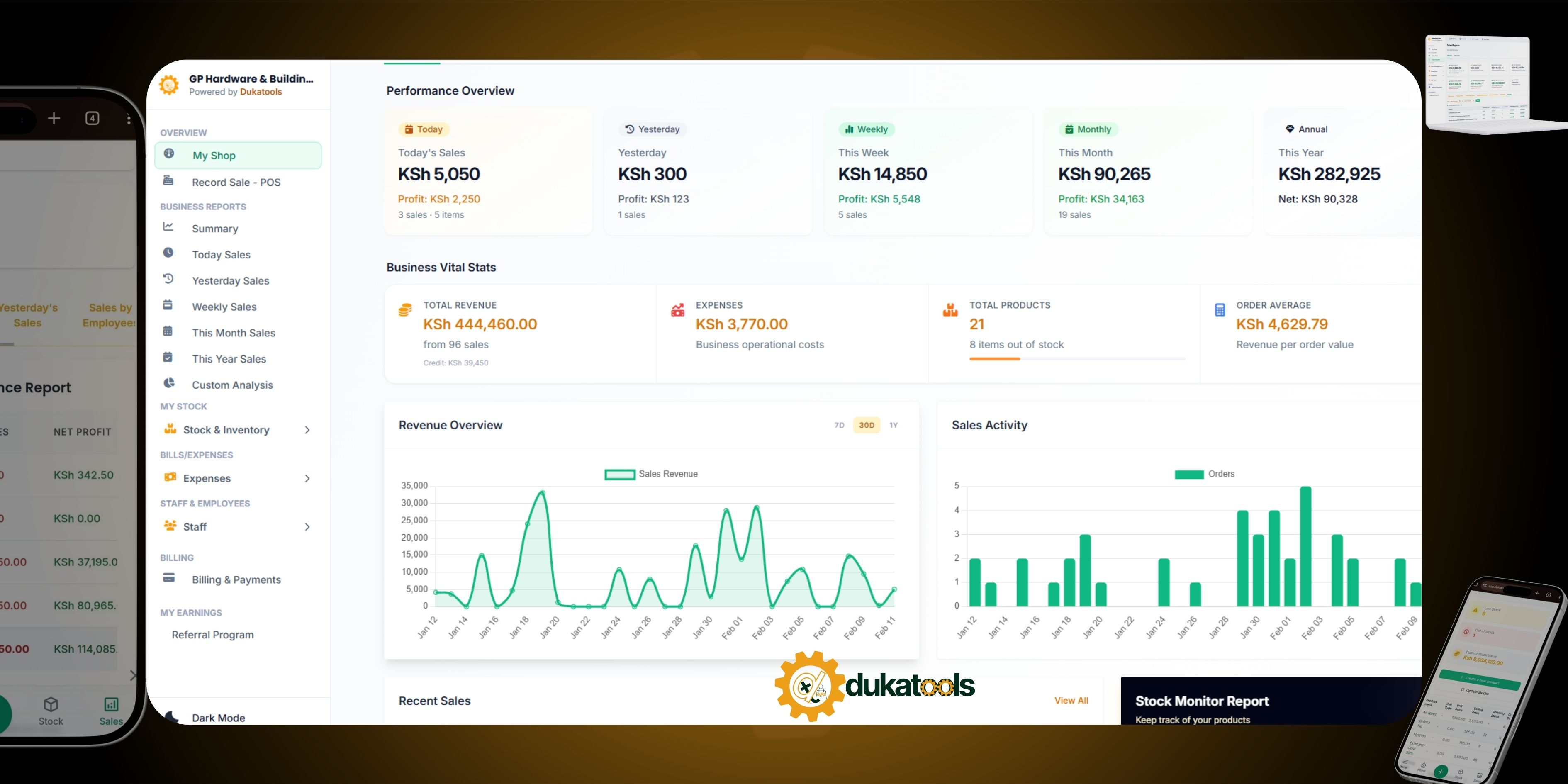
Open the app in the evening or from home. See everything in about 10 seconds. The dashboard shows a big clear profit number and charts.
Key Reports to Check Regularly:
- Sales by Item - Spot what’s moving fast (restock more) and slow movers (promote or clear).
- Peak Hours Analysis - Know when to add staff or run promotions.
- Profit & Loss - Real numbers, not guesses.
- Staff Performance - See who sold what and when (great for accountability).
- Export Options - Download PDF for loans, taxes, or records.
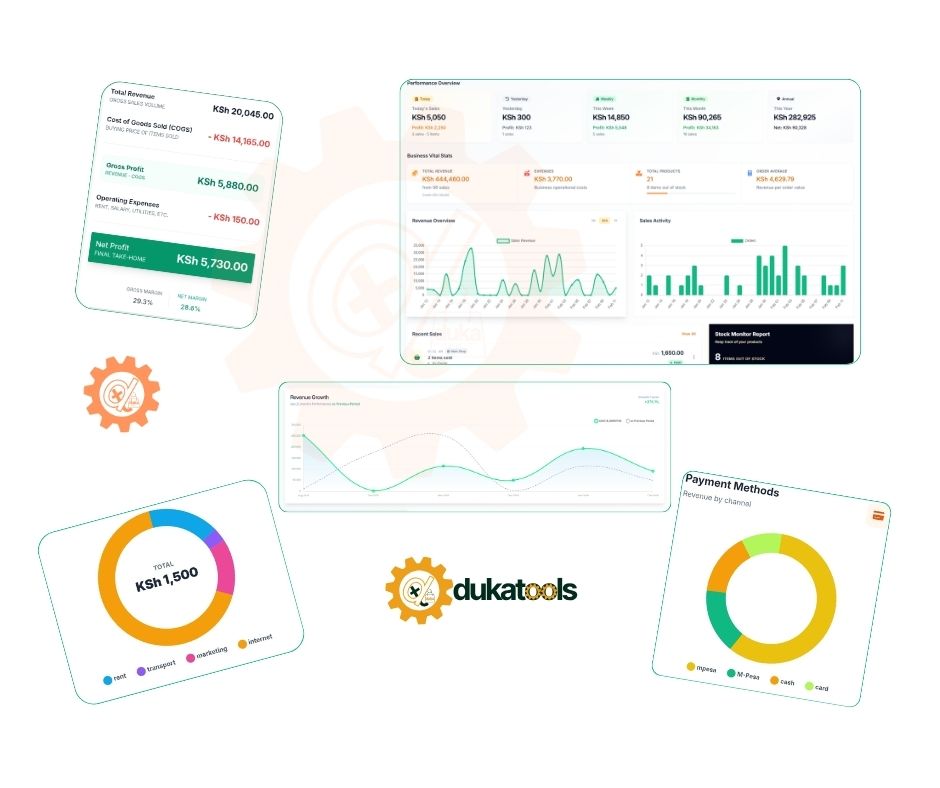
These reports help prevent stock-outs (users report stopping 90%+ of them) and cut unnecessary expenses.
Turning Reports into Real Business Growth
Don’t just look, ACT.
- Restock top products before they run out (low-stock alerts help).
- Adjust pricing or bundles based on what sells.
- Use peak-hour data for better staffing and reduce overtime costs.
- Reconcile M-Pesa quickly to avoid mismatches.
- For multi-branch owners, Switch between shops and compare performance in one view.
Additional Helpful Features for Retail Owners
- Staff Accounts - Employees record sales; you monitor remotely.
- Expense Tracking - Log rent, transport, etc., for accurate profit.
- Customer Management - Save contacts and build loyalty.
- Online Visibility - Get listed in the business directory and add a simple online shop you can share on social media for people to discover your business.
People Also Ask: Common Questions
How do I track M-Pesa sales accurately?
Dukatools lets you select M-Pesa at checkout and shows breakdowns in reports for easy reconciliation.
Is it suitable for small businesses without tech experience?
Yes, friendly and intuitive design, WhatsApp support, and you can start recording sales immediately.
Can I use it for multiple shops?
Absolutely. Higher plans support unlimited shops with centralized reports.
What about data security?
Cloud storage means your records are safe even if your phone or computer is lost.
Start Tracking Smarter Today
Kenyan retail owners using tools like Dukatools are moving from guesswork to confident decisions. Better sales tracking means fewer losses, happier customers, and real growth, even in a tough 2026 economy.
Ready to see your numbers clearly?
Visit dukatools.co.ke to start your free setup today. No card required. Track your first sales this afternoon and check your first daily report tonight.
Your duka deserves better visibility. Take control of your sales data and watch your business thrive.